
How to stay safe online for beginners doesn’t require tech expertise but just consistent habits that smarten up your digital life. Most threats prey on simple oversights like weak passwords or impulsive clicks, but with practical steps and real-world awareness, you can build real protection without paranoia.
Start here: Use a password manager for unique logins, enable 2FA on key accounts, skip suspicious links, and update devices automatically. These aren’t foolproof (no system is), but they block 90% of common attacks while keeping things straightforward.
Why Go Deeper: Real Threats in 2026
Scammers now use AI for hyper-realistic deepfake voices—imagine a call from “your boss” demanding urgent wire transfers, cloned from a 10-second social media clip. Or phishing emails referencing your recent Amazon buy to steal credentials. Understanding these (not just lists) empowers you: In 2025 alone, deepfake scams cost millions, often hitting families via “grandkid in trouble” calls. Knowledge like this turns tips into instincts.
how to stay safe online for beginners: 15 Simple Tips
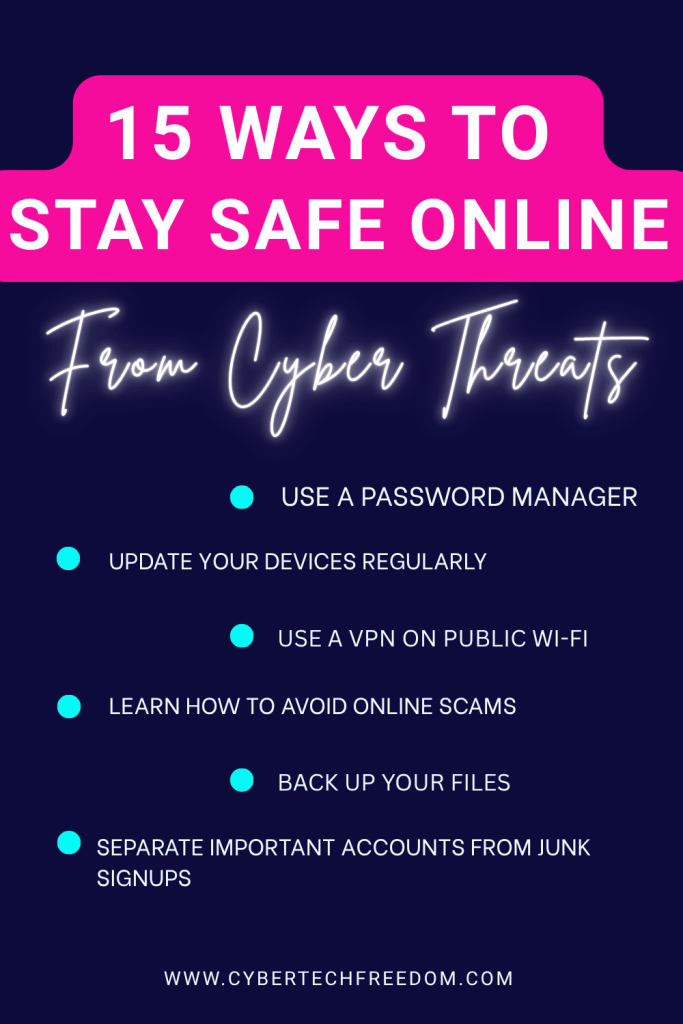
1. Use a Password Manager (Your First Line of Defense)
Stop reusing passwords. A password manager creates and stores strong passwords so you don’t have to remember them.
Reusing old password with little tweak – everyone does and hacker knows about it. I’m user most of the user are using 2026 or 26 at the end of the password this year. I work in IT and so many times people use same default password with little tweak the old that I talked about. I also know that its not possible to remember so many password and pins and I tend to forget a lot too that’s why I advice using password manager like BitWarden or password manager.
They generate generates strong passwords, autofill securely and alert breach. This is a core simple cybersecurity tip for non technical people that makes a massive difference.
Real case : in 2016, Mark Zuckerberg’s Twitter and Pinterest account was hacked. Yes, the same Mark Z of Facebook, because he reused is old password. That’s its imperative to have a strong and different password else use password manager.
2. Turn On Two-Factor Authentication (2FA)
2FA requires a phone code or app approval post-password. Hardware keys like YubiKey add thief-proof layers.
Example: Without it, Twitter’s 2020 breach let hackers post from celeb accounts—2FA stops that cold (my MFA guide).
3. Keep Everything Updated
Software updates fix security holes hackers actively exploit.
Vulnerabilities like Log4Shell (2021) let hackers remote-control unpatched devices. Enable auto-updates everywhere—phones fix 100+ flaws yearly invisibly. Pro move: Restart weekly to apply them fully.
4. Learn How to Avoid Online Scams Step by Step
Most people don’t get hacked – they get tricked.
To avoid online scams step by step, follow these steps-
- Don’t click links in unexpected messages
- Check the sender address carefully
- Ignore urgent threats or prizes
Don’t forward random WhatsApp messages — they could be spam and may lead to WhatsApp scams.
5. Use a VPN on Public Wi-Fi
Accessing internet using public Wi-Fi is like talking loudly about what you doing, emails you writing. Anybody with sniffing nose can read your data as its not encrypted.
VPNs like Surfshark with 30 days money back guarantee and unlimited devices encryptions your data while you are travelling or on public wi-fi there by making it harder for sniffing nose to decode your info
.Travel tip: Toggle only for banking; full-time slows speed unnecessarily (VPN how-to).
6. Lock Down Your Social Media
Oversharing fuels “social engineering”. Hackers stitch posts (vacation pics + pet name = password guess). Audit: Private mode, tag approvals, location off
Oversharing of Information online is one of the sure ways to give your identity away.
7. Freeze Your Credit
Want advanced protection with minimal effort? Credit freezing stops criminals from opening loans in your name.
It’s a powerful step in how to protect your data from hackers beyond just passwords.
8. Separate Important Accounts From Junk Signups
Use a dedicated email for banking and sensitive accounts, and a separate one for shopping and newsletters.
My suggestion:
email 1= bank, finance
Email 2-= personal, school and other important stuff- utilities
email 3= general, shopping, coupons and everything else
This reduces damage if a breach happens and is one of the best ways to secure online accounts long term.
9. Back Up Your Files
Ransomware can lock your photos and documents.
A backup is part of a smart internet safety checklist for adults. Use Cloud backup and external drive to store and back up your precious photos and memories.
10. Check If Your Data Was Leaked
Use breach-check tools to see if your email was exposed like Haveibeenpwned.
If yes , change your passwords Immediately for all the accounts and Turn on 2FA
This is a critical part of how to protect your data from hackers after breaches.
11. Use Spam & Scam Call Blockers
Phone scams are exploding. Protection apps like Hiya help block phishing and scam attempts automatically.
12. Use Screen Locks Everywhere
Having a 6 to 8 digits phone pin or Face ID protects you if devices are lost or stolen and supports how to secure your online identity offline too.
Also, effective way to stop kids from accessing your phone.(Better than face id in this case)
Find my device is another important thing to have.
The 5‑Minute Cybersecurity Lockdown Checklist
Complete 5 steps in under 5 minutes to lock down your email, phone, and WiFi
(no tech skills needed).
13. Be Careful of What You Download
Malicious apps steal data silently. Before installing any app check reviews and permissions and avoid unknown developers.
Lets work together to create safe digital space. Don’t forget to sign up for the security checklist and share with people who needs it, who you care.
14. Think Before You Share Personal Info
Scammers gather bits of info over time. Limiting data sharing is one of the best answer to our question- how to stay safe online for beginners?
15. Trust Your Instincts
Scams create urgency and emotion. If something feels wrong, pause. Verifying first is key in how to stay safe online for beginners.
With AI in the picture, scams have become far more convincing. The days of obvious spelling mistakes and clumsy grammar in phishing emails are mostly gone. Scammers now use the same AI writing tools as your bank, which means fraudulent messages can look just as professional as real ones. The warning signs have changed.
AI-powered voice cloning and deepfake scams are also becoming incredibly realistic. That’s why awareness and a simple safety plan are now your best defenses.
Biggest Mistakes Beginners Make Online
- Reusing the same password everywhere
- Clicking links without checking
- Ignoring software updates
- Oversharing on social media
- Trusting urgent messages
Avoiding these alone puts you ahead of most people.
Final Thought on beginner-friendly online safety
Learning how to stay safe online for beginners doesn’t have to be complicated…
Just following a few of these habits can prevent most scams, hacks, and data theft. Start with 2–3 steps today and build from there.
Your future self will thank you.
Let us know in the comment below- what steps are you taking to stay safe online? Please share this post with your family, elderly and teens. We all need to know how to stay safe online and protect our digital life.
Explore our curated Family safety toolbox ; free cybersecurity tools and trusted products that help protect your data, prevent identity theft, and keep your digital life safe at home or on the go.
Next Step to secure your family
Click Allow Pop-Up Scam (Fake CAPTCHA): What Happens If You Click It?
How to Detect a Deepfake Video Call in Real Time (15 Ways to Spot a Scam)

Great tips! I’ve been looking Into a password manager lately. These tips are great, thank you for sharing!
These tips on how to stay safe online as a beginner will surely be helpful. Thanks for putting it together.
Great tips! It helps alot. i’ve been trying to get better at this. Thanks!
great tips, cybersecurity is really important
Yess- I Think having a junk email and bank email and separating them is very important.
Great tips! so important to make sure you do these all the time online.