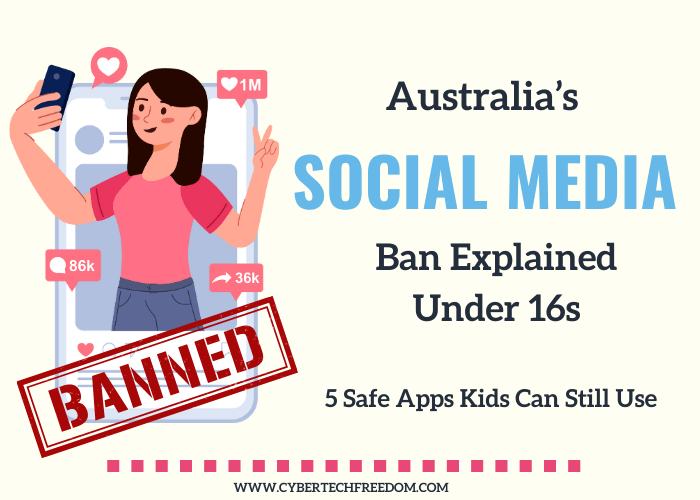

Since Australia’s social media ban came into effect in December 2025, parents have been searching for safe alternatives for their children. Australia’s new social media restrictions for children under 16 have left many parents asking the same question:
What social media apps can my child still use safely?
The good news is that Australia’s social media ban does not prohibit every online platform. While high-risk social media apps such as TikTok, Instagram and Snapchat face restrictions, many child-friendly apps with strong parental controls remain available.
If you’re looking for the safe social media apps for kids in Australia, this guide compares the best options for messaging, learning, communication and social interaction.
5 Safe Social Media Apps for Kids in Australia and the world
| App | Best For | Parent Controls | Safety Rating |
|---|---|---|---|
| Messenger Kids | Younger children | Excellent | ⭐⭐⭐⭐⭐ |
| YouTube Kids | Educational videos | Excellent | ⭐⭐⭐⭐⭐ |
| Google Chat (Family Link) | Family communication | Very Good | ⭐⭐⭐⭐ |
| Roblox (with restrictions) | Social gaming | Good | ⭐⭐⭐⭐ |
| Signal | Older teens | Limited | ⭐⭐⭐ |
How We Chose These Apps
To make this list, each app was evaluated on:
- Parent controls
- Content moderation
- Stranger contact risk
- Privacy protection
- Advertising exposure
- Ease of supervision
The safest apps are those that allow parents to control who children interact with while limiting exposure to harmful content.
Want the full update on how the ban is working? Read our Australia Social Media Ban Update 2026
1. Messenger Kids – The Best Social App for Younger Children
Messenger Kids is Meta’s child-focused messaging platform designed specifically for children under parental supervision.
Why Parents Like It
- Parents approve every contact
- No public profiles
- No advertising
- No follower counts
- No stranger messaging
- Video calling with approved family and friends
Safety Features
Parents manage everything through their own Facebook account, including:
- Contact approvals
- Usage monitoring
- Sleep mode
- Activity tracking
Best For
Children aged 6–12 who want to stay connected with family and friends.
Safety Rating: ⭐⭐⭐⭐⭐
2. YouTube Kids – The Safest Video Platform
For children who enjoy watching videos, YouTube Kids remains one of the safest options available.
Unlike standard YouTube, content is filtered specifically for younger audiences.
Why It’s Safer
- Age-appropriate content
- Parent-approved channels
- Screen-time limits
- Search controls
- Content filtering
Safety Tip
Create a supervised account and review viewing history regularly.
Best For
Educational videos, entertainment and creative learning.
Safety Rating: ⭐⭐⭐⭐⭐
3. Google Chat (Family Link) – Safe Family Communication
Google Chat works particularly well when combined with Google Family Link.
It allows children to communicate while parents maintain oversight.
Benefits
- Managed through Family Link
- Works on Android and Chromebook devices
- Easy family group conversations
- Suitable for school-aged children
Safety Tip
Restrict contacts to trusted family members and approved friends.
Best For
Family communication and school coordination.
Safety Rating: ⭐⭐⭐⭐
For parent with iPhone users- every thing you need to set up Apple family sharing parental control.
4. Roblox – Safe When Properly Configured
Roblox is often misunderstood as a social media platform. While it includes social features, it is primarily a gaming platform.
Why Kids Love It
- Creative games
- Educational experiences
- Building and design opportunities
- Social interaction through games
Essential Safety Settings
Parents should:
- Enable Account Restrictions
- Disable voice chat
- Restrict friend requests
- Turn off open messaging
- Remove saved payment cards
If you’re looking d for ways to control Roblox charges on your credit or debit card then in this post-Why am I Getting Roblox Charges and How to Stop it?
Watch Out For
Scams involving:
- Free Robux offers
- Fake giveaways
- Suspicious links
Teach children that genuine Robux giveaways are extremely rare.
Best For
Children interested in gaming and creativity.
Safety Rating: ⭐⭐⭐⭐
Australia government have asked Roblox to make many changes in its platform to protect our kids if it wants to be in Australia.. Read the full report here.
5. Signal – A Private Messaging Option for Older Teens
Signal is one of the most privacy-focused messaging apps available.
Advantages
- End-to-end encryption
- No advertising
- Minimal data collection
- Strong privacy protections
Important Limitation
Because Signal is highly private, parental monitoring is limited.
This makes it better suited for responsible older teenagers rather than younger children.
Family Safety Tip
Create a family safe word for emergencies and identity verification.
Best For
Older teens who need secure communication.
Safety Rating: ⭐⭐⭐
Apps Australian Parents Should Be Careful About
Under Australia’s social media restrictions, parents should pay particular attention to platforms that include:
- Open messaging
- Anonymous users
- Algorithm-driven feeds
- Public livestreaming
Examples include:
- TikTok
- Snapchat
- Discord public servers
- Kik
- Telegram public groups
- BeReal
These platforms can expose children to strangers, harmful content and online scams.
For complete phone setup steps, read our post: Phone safety guide.
Device Safety Matters Too
Even the safest social media apps can become risky without proper device settings.
Parent Device Checklist
- Turn off unnecessary location sharing
- Review app permissions monthly
- Enable Screen Time or Family Link
- Restrict app downloads
- Disable unknown callers
- Turn off app tracking where possible
- Discuss online safety regularly
For whole-family network protection, a VPN on your home router adds an extra layer of security. We recommend Surfshark which covers unlimited devices including your router.
Frequently Asked Questions
Is social media completely banned for children under 16 in Australia?
No. Australia’s restrictions focus on major social media platforms with open access and algorithm-driven feeds. Many child-friendly communication and educational platforms remain available.
What is the safest social media app for children?
Messenger Kids is widely considered one of the safest options because parents control contacts and activity.
Can children still use YouTube?
Yes. YouTube Kids and supervised YouTube experiences remain available.
Are gaming apps included in the social media ban?
Generally no, but platforms with communication features should still be carefully monitored.
What is the safest messaging app for teens?
Google Chat and Signal are popular options depending on the level of parental supervision required.
Final Thoughts: Safe Social Media Apps for Kids in Australia
The safest social media apps for kids in Australia are those that prioritise parental controls, privacy and limited exposure to strangers.
For younger children, Messenger Kids and YouTube Kids remain excellent choices. For older children and teenagers, Google Chat, Roblox with restrictions and Signal can provide safer alternatives to traditional social media platforms.
The goal isn’t simply to block technology. It’s to help children develop healthy and safe online habits while staying connected with family, friends and learning opportunities.
A curated Family safety toolbox with free cybersecurity tools and trusted products to protect your data, prevent identity theft, and stay safe online—at home or while traveling.